Scratch Level 2
Arcade, Action & AI Game Development
This Course Includes
Parent Rating
Happy Students
Completion Rate
Skill Improvement
Curriculum Timeline
24 sessions of advanced game development with regular checkpoints
Arcade Gaming
Ghost Catcher Game
Boat Race
Slime Busters
Slime Busters
Checkpoint 1
Arcade Review
Action & Adventure
Flappy Parrot
Space Shooter
Racing Game
Adventure Mechanics
Checkpoint 2
Arcade Review
Competitive & Sports
Football Goalie
Basketball Shooter
Ping Pong Pro
Tetris Builder
Checkpoint 3
Sports Review
AI-Powered Games
AI Eco Sorter
Gesture Controller
Chatbot Quest
AI Game Mashup
Checkpoint 4
AI Consolidation
Capstone Project
Capstone Planning
Development Sprint 1
Development Sprint 2
Final Showcase
What Your Child Will Learn
- Build arcade games with timers and scoring systems
- Create physics-based games with realistic motion
- Design shooters with bullets and collision detection
- Implement sports game mechanics and two-player controls
- Apply AI image recognition in interactive games
- Create chatbots and voice-controlled experiences
- Master advanced debugging and optimization
- Build a portfolio-ready capstone game project
What Your Child Will Master
From booking to building projects — here’s what to expect
Book Free Trial
Schedule a no-obligation trial class at a time that works for your child
Get Matched
We pair your child with an instructor who matches their learning style
Start Learning
Live 45-minute classes via Zoom with real-time feedback and support
Build Projects
Create real projects, earn certificates, and track progress together
Class Duration
Private Sessions
Easy Rescheduling
Simple, Transparent Pricing
One complete program. Everything included. No hidden fees.
AED 1,440
24 sessions • AED 60/session
- 25 live 1-on-1 sessions (60 min each)
- Expert Python instructor
- 10+ portfolio projects
- OOP, GUIs, APIs & automation
- Certificate on completion
- Flexible scheduling
24 sessions • AED 60/session
What Parents Say
Join hundreds of happy parents who’ve seen their children thrive with iCodejr
“My daughter was shy about technology, but after just a few ScratchJr classes, she's now creating her own animated stories! The instructor was incredibly patient and made learning fun.”
“I was skeptical about online coding for such young children, but iCodejr proved me wrong. The structured curriculum and 1-on-1 attention keeps my son engaged throughout the class.”
“The progress reports are amazing — I can see exactly what my child is learning. She went from knowing nothing about coding to building her own games in just 3 months!”
“Both my twins take ScratchJr classes and they love showing off their projects to each other. The flexible scheduling makes it easy to fit into our busy family life.”
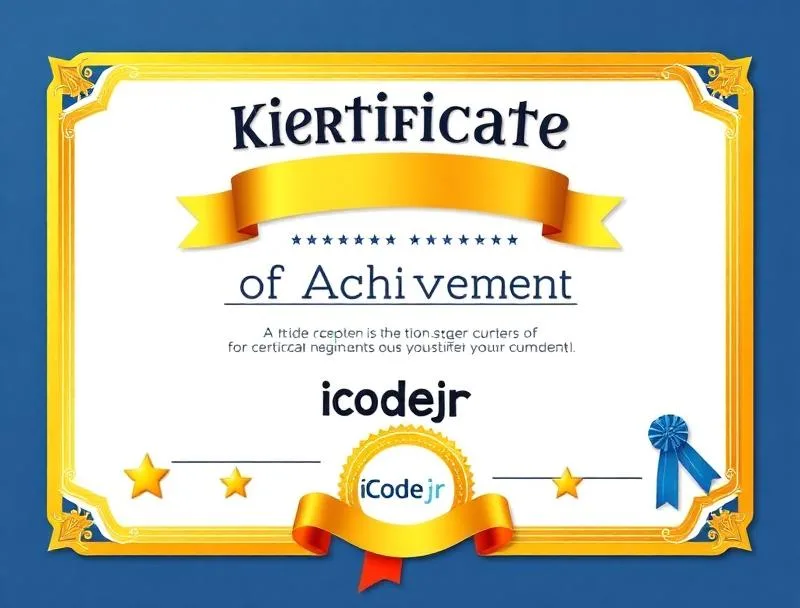
Earn Your ScratchJr Certificate
Celebrate your child’s achievement with an official iCodejr completion certificate a milestone they can proudly share with family and friends.
- Personalized with your child’s name and photo
- Lists all 36 skills and concepts mastered
- Shareable digital certificate for portfolios
- Pathway to Junior Tech Passport certification
- Recognition of coding fundamentals achievement
Want a complete learning journey?
Frequently Asked Questions
Do I need to complete Level 1 first?
What age is appropriate for Level 2?
Scratch Level 2 is designed for children ages 8-12 (Grades 3-6). Students should ideally have completed Level 1 or have equivalent Scratch experience.
What's the difference from Level 1?
Level 1 covers foundations and intro AI. Level 2 advances to complex arcade mechanics, physics simulations, competitive games, and applied AI projects. Level 2 students build more sophisticated, polished games.
What will my child build?
Students build 12+ projects including arcade classics (Ghost Catcher, Flappy Bird), sports games (Football Goalie, Tetris), shooters (Space Shooter), and AI-powered games using image recognition and chatbots!
What device is needed?
Scratch works on any computer (Windows, Mac, or Chromebook) with internet access. A laptop or desktop with a larger screen provides the best coding experience.
What comes after Level 2?
After completing both Scratch levels, students are ready for text-based programming! We recommend Python for Kids or Roblox Studio (Lua) as the next step in their coding journey.