Web Development for Kids
Complete web development journey from HTML basics to React applications. Build real websites and interactive apps across 48 sessions in 2 comprehensive modules.
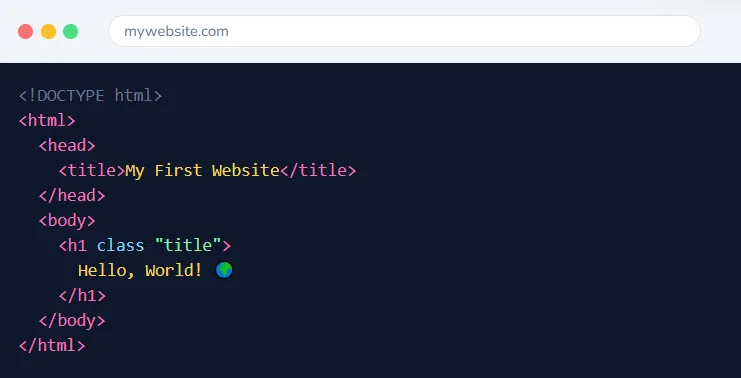
48 Sessions
2 Modules
16+ Projects
Live 1-on-1
This Course Includes
36 Live 1-on-1 Sessions
Dedicated Expert Instructor
45-Minute Classes
Flexible Scheduling
Certificate on Completion
Parent Progress Reports
4.9/5
Parent Rating
500+
Happy Students
100%
Completion Rate
95%
Skill Improvement
Two Comprehensive Modules
A complete web development journey from your first HTML tag to building React applications.
Module 1
HTML & CSS Foundations
Master the building blocks of the web. Create beautifully styled, responsive websites from scratch.
HTML5
CSS3
Flexbox
Bootstrap
24 Sessions
Ages 10-17
8+ Projects
Module 2
JavaScript & React
Add interactivity with JavaScript and build modern web apps with React. Introduction to backend with Node.js.
UI/UX
JavaScript
Node.js
React
24 Sessions
Ages 12-18
8+ Projects
Complete 48-Session Curriculum
From First Web Page to React Applications
A structured journey through web development, from HTML basics to building modern React apps.
Level 1
Web Basics: Introduction to HTML
Sessions 1-5
Discover how websites work and create your first web pages. Learn HTML fundamentals and set up your development environment.
Sessions 1-2
Web Foundations
What websites are
Frontend vs backend
How browsers work
Development tools setup
Sessions 3-5
First HTML Pages
HTML structure
Tags and elements
CodePen/Replit
Personal webpage creation
Projects Your Child Will Build

Personal Webpage
Create your first webpage with text, images, and links

Online Portfolio Starter
Build and preview pages using online editors
Level 2
HTML Essentials: Forms & Styling Intro
Sessions 6-10
Master HTML elements like forms, tables, and lists. Begin styling with CSS and understand the connection between structure and design.
Sessions 6-8
Advanced HTML Elements
div, span, img, anchor
Text formatting
Lists and tables
Forms & input types
Sessions 9-10
CSS Introduction
Inline vs internal vs external CSS
Basic selectors
Color and typography
Review & practice
Projects Your Child Will Build

Contact Form Page
Build a functional form with various input types

Styled Article Page
Create a formatted article with CSS styling
Level 3
CSS Core: Layout & Positioning
Sessions 11-15
Master CSS layout techniques including Box Model, Flexbox, and positioning. Build responsive, professional-looking page layouts.
Sessions 11-13
Box Model & Positioning
Margin, padding, border
Static, relative, absolute, fixed
Display properties
Z-index layering
Sessions 14-15
Flexbox Layouts
Flex container properties
Flex item alignment
Responsive flex layouts
Layout review
Projects Your Child Will Build

Card Layout Gallery
Build a responsive card-based gallery

Navigation Bar
Create a professional navigation with Flexbox
Level 4
Advanced CSS & Capstone
Sessions 16-24
Learn CSS Grid, animations, Bootstrap framework, and build a fully responsive capstone website ready for your portfolio.
Sessions 16-19
Advanced Techniques
CSS Grid layouts
Media queries & breakpoints
Animations & transitions
Bootstrap introduction
Sessions 20-24
Capstone Project
Project planning
Multi-page website
Responsive implementation
Final polish & deployment
Projects Your Child Will Build

Animated Landing Page
Create a page with smooth animations and effects

Responsive Capstone Website
Build and deploy your complete portfolio site
Level 5
UI/UX Foundations
Sessions 1-5
Master the principles of user interface and user experience design. Learn layout, color theory, typography, and create stunning portfolio pieces.
Sessions 1-3
Design Principles
UI vs UX explained
Layout & composition
Color theory basics
Typography fundamentals
Sessions 4-5
Design Implementation
Visual hierarchy
Creating a style guide
Portfolio design
Responsive design principles
Projects Your Child Will Build

Static Event Page
Design a visually appealing event landing page

Personal Portfolio v2
Redesign your portfolio with UI/UX best practices
Level 6
JavaScript Core
Sessions 6-10
Begin your JavaScript journey! Learn variables, data types, operators, functions, and DOM manipulation to add interactivity to websites.
Sessions 6-8
JS Fundamentals
Variables & data types
Operators & expressions
Conditionals
Functions & scope
Sessions 9-10
DOM Manipulation
Selecting elements
Event listeners
Modifying content
Interactive webpage building
Projects Your Child Will Build

Calculator App
Build a functional calculator with JavaScript

Interactive Webpage
Add dynamic interactivity to a static page
Level 7
Advanced JavaScript
Sessions 11-15
Create stunning animations, build interactive UI components, and get introduced to Node.js for server-side JavaScript.
Sessions 11-13
Advanced Interactions
Animated loaders
Day/night toggle
Mouse tracking effects
Form validation
Sessions 14-15
Node.js Introduction
What is Node.js
Node REPL basics
Running JS scripts
Module introduction
Projects Your Child Will Build

Animation Showcase
Create a page with multiple CSS/JS animations

Node.js Demo
Run your first server-side JavaScript code
Level 8
Backend & React Capstone
Sessions 16-24
Master Node.js fundamentals, learn NPM, and build your first React applications. Complete the course with a full-stack capstone project.
Sessions 16-18
Node.js & NPM
Node REPL deep dive
File system operations
NPM packages
QR code generator project
Sessions 19-21
React Fundamentals
React introduction
Components & JSX
Props & state
React contact page
Sessions 22-24
Final Capstone
Full-stack planning
Integration
Polish & deployment
Showcase presentation
Projects Your Child Will Build

QR Code Generator
Build a Node.js app that generates QR codes

React Contact Page
Create an interactive contact page with React

Full-Stack Capstone
Complete portfolio project showcasing all skills
How Classes Work
From booking to building projects — here’s what to expect
1
Book Free Trial
Schedule a no-obligation trial class at a time that works for your child
2
Get Matched
We pair your child with an instructor who matches their learning style
3
Start Learning
Live 45-minute classes via Zoom with real-time feedback and support
4
Build Projects
Create real projects, earn certificates, and track progress together
45 min
Class Duration
1-on-1
Private Sessions
24/7
Easy Rescheduling
What Your Child Will Master
HTML Structure
Build semantic, accessible web pages
CSS Styling
Create beautiful, modern designs
JavaScript
Add interactivity and dynamic features
React Apps
Build modern component-based applications
What Parents Say
Join hundreds of happy parents who’ve seen their children thrive with iCodejr
“My daughter was shy about technology, but after just a few ScratchJr classes, she’s now creating her own animated stories! The instructor was incredibly patient and made learning fun.”
S
Sarah M.
Parent of 6-year-old
“I was skeptical about online coding for such young children, but iCodejr proved me wrong. The structured curriculum and 1-on-1 attention keeps my son engaged throughout the class.”
A
Ahmed K.
Parent of 5-year-old
“The progress reports are amazing — I can see exactly what my child is learning. She went from knowing nothing about coding to building her own games in just 3 months!”
P
Priya R.
Parent of 7-year-old
“Both my twins take ScratchJr classes and they love showing off their projects to each other. The flexible scheduling makes it easy to fit into our busy family life.”
M
Mohammed A.
Parent of twins (age 6)
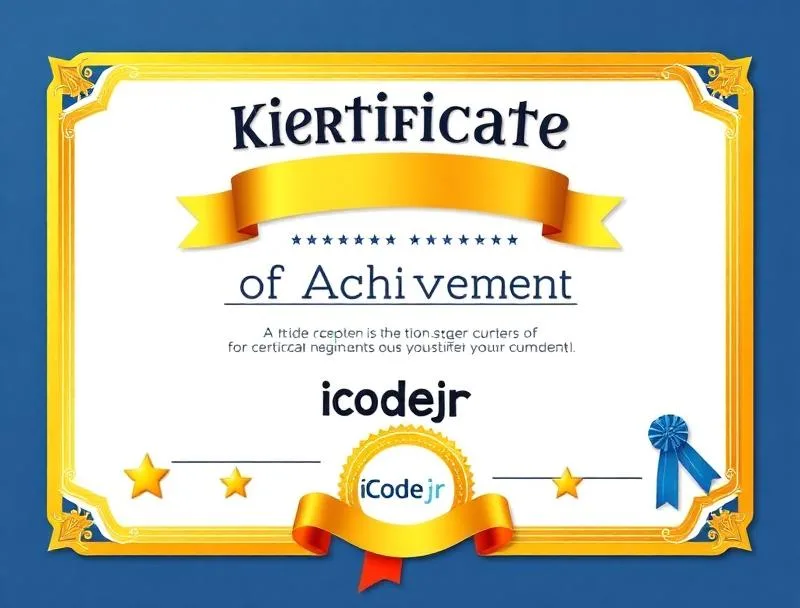
Earn Your ScratchJr Certificate
Celebrate your child’s achievement with an official iCodejr completion certificate a milestone they can proudly share with family and friends.
Personalized with your child's name and photo
Lists all 36 skills and concepts mastered
Shareable digital certificate for portfolios
Pathway to Junior Tech Passport certification
Recognition of coding fundamentals achievement
Want a complete learning journey?
Simple, Transparent Pricing
Complete Program
Complete Web Development Program
Ages 10-18
AED 3,360
AED 70/session × 48 sessions
- 48 live 1-on-1 sessions
- 2 comprehensive modules
- 16+ portfolio projects
- HTML, CSS, JavaScript & React
- Real website deployment
- 2 Certificates of completion
Money-back guarantee
Cancel anytime
Secure payment
Got Questions?
Questions About Web Development?
This complete web development journey covers everything from the foundation (HTML & CSS) to modern frameworks (React). Students start building websites immediately and progress to creating interactive web applications – the skills used by professional developers worldwide.
Module 1 (HTML & CSS) is ideal for ages 10-17. Module 2 (JavaScript & React) is recommended for ages 12-18, as it involves more abstract programming concepts. Students should complete Module 1 before starting Module 2.
We use free tools like VS Code (a professional code editor), online platforms like CodePen and Replit, and Node.js for Module 2. Everything works on Windows, Mac, or Chromebook.
In Module 1: Personal web pages, styled articles, contact forms, and a responsive portfolio website. In Module 2: Interactive apps with JavaScript, animated UI components, a QR code generator, and React applications.
Absolutely! Module 1 is a complete standalone course in HTML & CSS. Many students start with Module 1 and decide to continue to Module 2. We also offer a bundle discount for both modules together.
After completing both modules, students have a strong foundation for advanced React development, backend technologies like databases and APIs, or mobile app development with React Native.
Yes! By the end of each module, students deploy their projects to the web using free hosting. They’ll have real URLs to share with friends and family.
Each module consists of 24 sessions. With weekly classes, that’s about 6 months per module. Students can also opt for twice-weekly sessions to complete faster.
Ready to Build Real Websites?
Book a free Web Development trial class and see your child create their first webpage with expert guidance.
We’ll contact you on WhatsApp to confirm your trial class